How-to
What legacy PLC programming software identification needs
Short answer
Identify the exact board from its own markings, match that identity against each package's documented supported-target list, then buy the license, communications driver and programming cable as one package through the manufacturer or its authorized distributor. JW-300SP and JW-100SP are candidates for the Z-312J board line, not confirmed selections, and the suggested Fuji Electric association with SX-Programmer is confirmed or discarded the same way.
On this page
- How do you identify the exact controller before buying anything?
- Which software packages are actually candidates?
- How do you get written compatibility confirmation?
- What belongs in the one procurement package?
- Why can't the connector shape tell you which cable to buy?
- How do you recover the program before you change anything?
- What response time must the cobot handshake prove?
- Questions asked
You have Z-312J board PLCs, a cobot integration coming, and no confirmed way to reach the program inside them. The answer: identify the exact board from its own markings, match that identity against each package's documented supported-target list, then buy the license, communications driver and programming cable as one package through the manufacturer or its authorized distributor. JW-300SP and JW-100SP are candidates for this board line, not confirmed selections, and the suggested Fuji Electric association with SX-Programmer is confirmed or discarded the same way. The steps below take you from an unidentified board to a recovered, backed-up program you can modify.
How do you identify the exact controller before buying anything? #
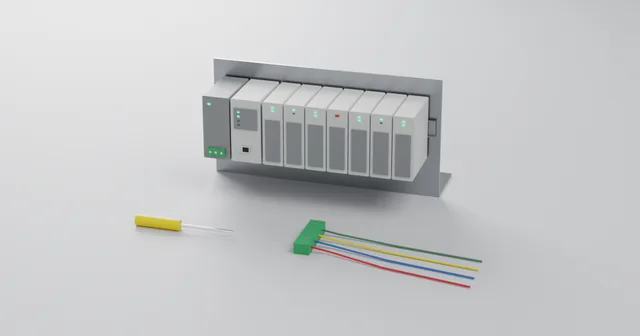
Read the board itself: the full model code, every revision and assembly marking, and the label at the programming connector, photographed with the panel isolated, form the identification package that every software and cable decision below depends on. Model names that look alike are not the same target, and a package that supports a related PLC family can still lack your exact board.
- Isolate the panel under your site's electrical isolation and access procedure before opening the enclosure. Photographing markings needs no power.
- Photograph the full model code, including any suffix after Z-312J, plus date codes and assembly labels on the board and its housing.
- Photograph the programming connector and any label next to it, without probing the pins.
- Record the machine builder's documentation reference if the board arrived inside a larger control assembly.
- Collect whatever already exists on site: an old engineering laptop, saved project files, or the cable someone used years ago. Each one shortens the confirmation step.
Which software packages are actually candidates? #
JW-300SP and JW-100SP are the ladder-software candidates named for this board line, while SX-Programmer becomes a candidate only if the board's markings confirm the Fuji Electric association; none of the three is a selection until its supported-target list names your exact board. A device connection manual from a display vendor documents that the ladder software JW-300SP is what sets a JW controller's Ethernet communication settings. That establishes JW-300SP as real ladder software for the JW family. It does not establish that your Z-312J revision is a supported target of the current package.
Evaluate JW-100SP against the same controller details: target support, project-file compatibility with whatever is on the machine, and the engineering-computer environment it needs. Keep SX-Programmer separate from that comparison until the board's manufacturer identity is settled, because a package from a different maker cannot be assumed to read this board at all. The same identification logic applies to every legacy family, as covered in which programming software each legacy PLC family needs.
The decision tree is short:
- Markings confirm the JW board line and JW-300SP's documented targets include your exact model and revision: JW-300SP is the package.
- Markings confirm the Fuji association and SX-Programmer's documented targets include the board: SX-Programmer is the package.
- Neither documented list names the board: buy nothing and escalate to the maker's support channel with your identification package.
How do you get written compatibility confirmation? #
Send the identification package to the manufacturer's official support channel and ask four questions in writing: which package and release supports this exact model and revision, whether it opens the existing project format, which cable or adapter is approved, and whether a separate communications driver is required. A verbal yes from a reseller is not a compatibility statement.
- Attach the photographs and the full designation, including revision markings.
- Ask for the package name, the applicable release, and the supported-target document that lists your board.
- Ask whether that release opens or converts the project format already stored on the machine.
- Ask for the approved cable or adapter identification, its connection instructions, and the driver requirement.
- Ask about license availability and the supported operating system for your engineering computer.
- File the reply with the machine records. It is the document that turns a candidate into a selection.
The gate is absolute: no written target-list match, no purchase order.
What belongs in the one procurement package? #
The license alone is not enough: order the license, the installer media, the communications driver, the approved cable, and any interface adapter named in the support reply as one package, so the first connection cannot stall on a missing piece. A license delivered without the driver or the cable leaves you holding software you cannot use at the machine.
- The software license and the installation media or download from the manufacturer's official channel.
- The communications driver, if the support reply lists one separately.
- The approved programming cable, plus any interface adapter the reply requires.
- Confirmation that the release runs on your engineering computer's operating system; if it does not, plan the machine for the environment the maker documents rather than forcing an unsupported install. What that decision looks like across vendors is covered in which PLC software you actually need to buy.
- The programming and communications manuals, retained with the quotation and the compatibility reply in the machine file.
Why can't the connector shape tell you which cable to buy? #
Because ports with identical connectors can carry different signal levels, pin assignments and power: a lead that fits physically can fail to communicate or damage the port, so only the cable the support reply names is acceptable. Do not buy a look-alike cable against a search result for a similar board, and do not probe an unidentified programming connector or apply external power to it. If identification work requires access inside the enclosure, use your site's isolation procedure, not one hand and hope.
How do you recover the program before you change anything? #
Make the first successful connection a read, not a write: confirm the controller identity in the tool, upload the existing application into a separate backup project, and only then prepare the cobot edits. Upload and download mean opposite directions in different tools, so read the transfer direction in the manual before executing any command.
- Schedule a controlled maintenance window and place the machine in its approved maintenance condition.
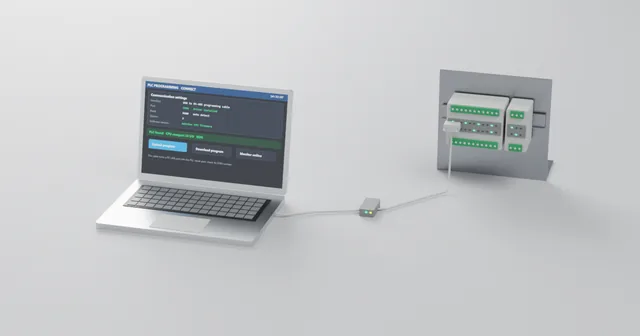
- Install the confirmed package, select the documented controller target, and enter the communications settings the manual or the old engineering records specify.
- Connect using the approved procedure and read the controller identity or status information the tool provides.
- Read the existing application into a separate backup project. Preserve original engineering files without overwriting them.
- Compare the recovered application with the machine builder's project where the tool offers a comparison function, and record every discrepancy before editing.
- Confirm the documented restore procedure and keep an unchanged backup before touching the cobot logic.
A program read from the controller may lack the comments, symbols and documentation of the original offline project, which is why uploading a PLC program is not full source recovery. If access protection blocks the read, use only the manufacturer's documented recovery path, and understand what a reset does to the stored program before running it.
What response time must the cobot handshake prove? #
The quantity to measure is end-to-end response: the time from an interface transition at the PLC input to the expected output action, which must fit the integration's stated allowance with margin. Before editing, document command ownership, ready and busy states, completion acknowledgement, fault handling, communication loss and restart conditions.
A worked example with illustrative measured values: suppose the input response measures 8 ms, the scan cycle runs at 6 ms, and the output turn-on delay is 10 ms. Worst case is the input response plus two scan cycles plus the output delay: 8 + (2 x 6) + 10 = 30 ms. If the integration allows 50 ms, this passes with 20 ms of margin and you commit. If the added cobot logic grows the scan to 15 ms, the same sum becomes 8 + (2 x 15) + 10 = 48 ms against the same 50 ms allowance; 2 ms of margin is not a design, so restructure the logic or renegotiate the allowance before commissioning.
One boundary stays fixed: this handshake is ordinary control. The risk-assessed safety functions of the cobot cell remain in the safety circuit, never in this ladder logic.
Questions asked
Can JW-100SP and JW-300SP open each other's projects?
That project-format compatibility is not documented in any source used here, so treat it as one of the written questions you put to the maker's support channel before buying. If the reply says one package cannot open the other's files, the package that reads the machine's existing project wins the selection regardless of features, because losing the current logic is not an option.
Where can the programming software be downloaded legitimately?
Only from the manufacturer's official website or an authorized distributor. Where the maker offers a registered download of the package on its own site, that page is the source and the registration record becomes part of your machine documentation. A copy found on a file-sharing site is out of the question: it may be an old build, a mismatched target list, or worse.
Can a USB-to-serial adapter replace the original programming cable?
Only when the manufacturer's support reply names the adapter type and driver for the documented port. The port's signal levels decide whether an adapter works at all, and a wrong guess can damage the controller's interface. Record the approved adapter and driver version with the cable part in the machine file so the next engineer does not repeat the question.
What if the board markings are unreadable or missing?
Go to the machine builder first: the original order codes, assembly drawings and engineering package usually name the controller exactly. Ask the builder for the programming-interface documentation at the same time, since a board supplied inside a larger control assembly often carries the builder's part number rather than the maker's. Never identify a controller from a photo match on a marketplace listing.