Selection guide
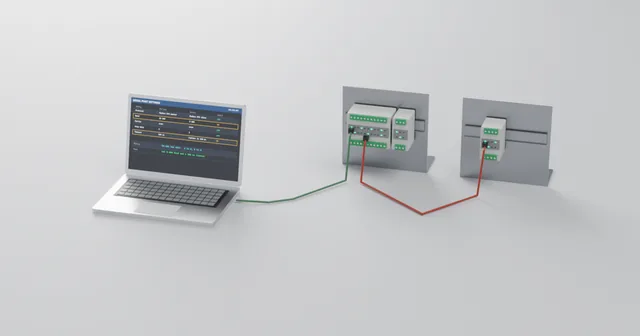
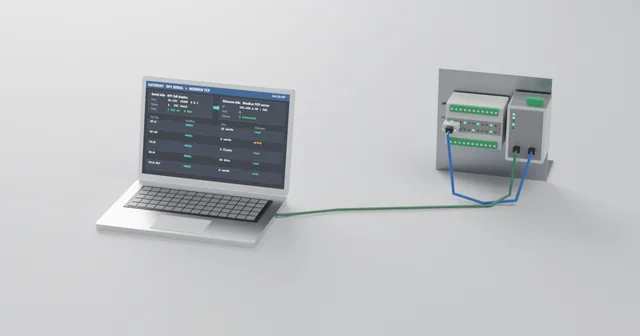
CLICK Basic PLC programming connection: serial or Ethernet
Short answer
A Basic CLICK such as the C0-00DR-D talks RS-232 through its 6-pin RJ-12 port, so a USB-only laptop needs a USB-to-RS-232 converter. Because Ethernet CLICK models add a real-time clock and remove the converter, most new projects should start there instead of the Basic line.
On this page
For a Basic CLICK such as the C0-00DR-D, the programming connection is RS-232 through a 6-pin RJ-12 jack, so a laptop with only USB, USB-C and Ethernet needs a USB-to-RS-232 converter plus a cable documented for that port. If your application wants clock-based logic, or you simply want firmware updates and program transfers without a serial converter in the bag, choose a CLICK model with Ethernet instead: the Ethernet units carry a real-time clock with battery backup, and the battery ships separately. This article gives you the port facts, a worked decision for a USB-only laptop, and the comparison that settles Basic against Ethernet and CLICK PLUS.
What the Basic CLICK port actually is #
The CLICK Basic and Standard families provide built-in RS-232 ports as 6-pin RJ-12 phone-type jacks, and the primary port is the designated programming port with fixed communication parameters. The hardware user manual (document C0-USER-M) covers the ports, wiring and troubleshooting for the whole CLICK line, including the C0-00DR-D. Three consequences follow for your laptop:
- No Ethernet controller on the Basic unit, so your laptop's Ethernet port has nothing to talk to.
- No USB or USB-C device port, so a plain USB or USB-C cable cannot bridge the gap either.
- The RJ-12 plug is a connector shape, not a standard: the wiring behind it is RS-232, and the lead must convert and carry that wiring correctly.
That third point is where most first attempts fail. A lead sold as an RJ12-to-USB cable may contain a converter chip, or may be passive, and its serial wiring may not match the PLC port. Physical fit proves nothing about conversion or pinout.
Why a USB-only laptop needs a converter #
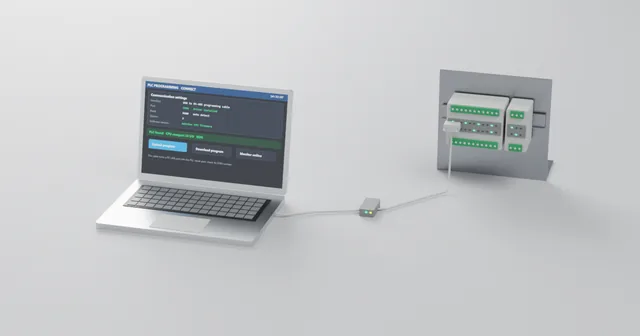
Your laptop exposes USB, USB-C and Ethernet. The Basic CLICK exposes two RS-232 ports on RJ-12 jacks. The interface sets do not overlap, so a converter is not optional: something in the chain must turn USB into RS-232 at the correct levels and wiring. Vendors sell that as a single programming assembly, a USB-to-RS-232 converter terminated for the PLC port, or as a separate converter plus cable. AutomationDirect's own cable documentation names its USB-to-RS-232 converter part for exactly this job, which is the pattern to look for: a part the seller explicitly documents for CLICK serial programming, not a generic lead chosen by plug shape.
Install the converter's driver if its documentation requires one, note which COM port the operating system assigns it, and select that port in the programming software as the serial method. If the software cannot find the PLC, check the assigned port and the converter recognition before suspecting the controller. The same serial-first discipline applies to older controllers: the serial port walkthrough for connecting a laptop to an SLC 500 uses the same identify-the-port, test-communication sequence.
Worked example: a C0-00DR-D and a USB-only laptop #
This works the reader's own case from the question. The inputs come from the hardware documentation and the laptop description:
- Laptop interfaces: USB, USB-C, Ethernet (given).
- C0-00DR-D programming interfaces: one RS-232 port on an RJ-12 jack, Ethernet none (per the CLICK hardware documentation).
- Converter in hand: none yet.
The rule: count the interfaces the two ends share. A direct connection needs at least one shared interface; each missing shared interface costs one converter, or a controller change.
The arithmetic, in interfaces:
- Direct paths = shared interfaces = USB + USB-C + Ethernet on the PLC side = 0 + 0 + 0 = 0. A direct cable cannot work.
- With a USB-to-RS-232 converter, the converter presents USB to the laptop and RS-232 to the PLC, so the chain shares USB (1 path) and the PLC-side RJ-12 wiring is handled by the documented cable. Paths = 1.
- With an Ethernet CLICK model instead, the chain shares Ethernet, so paths = 1 with no converter and no serial wiring to verify.
The result: 0 direct paths, 1 converted path, 1 Ethernet path. The decision rule that falls out: if the shared-interface count is zero, budget either a documented converter or a different controller, and weigh the two against each other, because a converter that only serves one legacy unit is dead hardware the day that unit is replaced. In this case both routes reach 1 path, so the choice moves to features, which the next section settles.
Comparing the three ways to program #
| Route | What the PLC gives you | What the laptop needs | What you gain or give up |
|---|---|---|---|
| Basic CLICK plus converter | RS-232 on RJ-12, no Ethernet, no real-time clock | USB-to-RS-232 converter with documented CLICK wiring | Lowest controller; you carry and maintain a converter, transfers and firmware updates run over serial |
| Ethernet CLICK model | RS-232 plus Ethernet, real-time clock with battery backup | An Ethernet cable you already own | Clock, faster transfers and firmware updates; battery ordered separately |
| CLICK PLUS model | Ethernet, real-time clock, plus data logging, Wi-Fi connectivity, MQTT and added security features per its documentation | An Ethernet cable, or USB where the unit supports it | Full feature set for a modest step up; check the exact unit's ports and outputs |
Treat output type as its own criterion. Changing the communications route to an Ethernet model also changed which output configurations were on the table in the original purchase, so verify the exact unit's output style (sinking or sourcing) against your field wiring rather than inferring it from the port list.
The real-time clock changes the decision #
The Basic line has no real-time clock, and the CLICK overview documentation pairs the clock with battery backup on the Ethernet units. If your project needs time-of-day logic, dated events or clock-based schedules, no cable or adapter adds that to a Basic unit; the capability lives in the controller. The backup battery is ordered separately, so confirm the exact battery for your unit in its documentation before ordering one rather than guessing a size. If your schedule logic can live in the SCADA layer instead, a data-logging or SCADA client PC at the machine, typically an industrial panel PC, can timestamp events independently of the controller, but the PLC itself will still not know the time.
Setting up the serial path when you do buy Basic #
- Confirm the unit label and its port: RS-232 on the 6-pin RJ-12 programming jack, per the hardware documentation.
- Use a USB-to-RS-232 converter and cable documented for CLICK programming, not a lead chosen by connector shape.
- Install the converter driver if required, and record the COM port the operating system assigns.
- In the programming software, select the serial method and that port, then attempt communication and confirm the software identifies the controller before transferring anything.
- Verify the target project and controller before writing changes, and keep the converter, cable and port setting together as a labeled, known-working set.
Transfer programs offline or with the machine in a safe state; a download changes the logic a running process depends on.
The decision for each case #
- New project, any time-based logic, USB-only laptop: buy a CLICK model with Ethernet. You get the clock, you skip the converter, and transfers and firmware updates go over the faster link.
- Existing C0-00DR-D you must program today: use a documented USB-to-RS-232 converter and CLICK programming cable, verify the assigned COM port, and keep that set labeled for next time.
- Practice bench on a budget, no clock needed: Basic plus converter is legitimate, but check the converter's contribution against the Ethernet unit before paying for it, and decide the output style separately from the communications choice.
- Fieldbus learning such as DeviceNet: separate purchase and separate hardware. This serial programming link teaches you nothing about DeviceNet, and the Basic unit is not a DeviceNet node; learn that network on devices that explicitly support it.
For most readers in the original position, the Ethernet route wins: the converter spend buys no lasting capability, while the Ethernet model removes the serial link problem and adds the clock the Basic line lacks.
Questions asked
Can a generic RJ12-to-USB lead program a CLICK Basic PLC?
Not reliably. The connector shape alone proves nothing: some such leads contain a USB-to-serial converter, others are passive and cannot convert at all, and the serial wiring may not match the PLC port. Use a converter and cable documented for RS-232 programming of that controller, then test communication before relying on the link.
Does the CLICK Basic line have a real-time clock?
No. The Basic line gives you RS-232 communication and no clock, so time-of-day logic, dated events and clock-based schedules are unavailable on those units and no cable or adapter adds them. Ethernet models in the CLICK range include a real-time clock with battery backup, and the backup battery is ordered separately, so confirm the exact battery for the unit in its documentation before ordering one.
Is this serial link a way onto DeviceNet?
No. The RS-232 port is a programming and point-to-point serial link, not a fieldbus interface, and nothing in the Basic unit's documentation identifies DeviceNet support. Learn DeviceNet on hardware that explicitly supports it as a node, and keep the programming link and the field network as separate systems with separate interfaces.