Explainer
Why DNP3 Object 40 is analog output status, not a command
Short answer
DNP3 Object 40 is Analog Output Status: an outstation reports it to a master, and no write path turns it into a command. To move a setpoint, send it as an Object 41 Analog Output command from a master, or have an outstation or gateway publish the number as Object 40 status. Which route fits depends on the endpoint role of each side.
On this page
DNP3 Object 40 is Analog Output Status: an outstation reports it to a master, and the protocol defines no request that writes to it. The command object is Object 41, Analog Output, and only a master sends that one, as a Select-Before-Operate sequence or a Direct Operate request. A PI-to-SCADA output therefore has two valid routes: write Object 41 into an outstation that accepts analog commands, or run an outstation or gateway that publishes the number as Object 40 status for SCADA to read. Which route fits depends on the endpoint role each side plays — master, outstation, or both — and relabeling the object number changes nothing, because the direction lives in those roles, not in the point name. The sections below assign the objects, settle the digital-state question, work one setpoint through both routes, and end with the decision for each case.
What the standard assigns to each object group #
DNP3 is published as IEEE 1815, and the standard fixes the meaning of each object group, so the group number tells you both the data type and which side may put the data on the wire. For analog output points, three groups matter:
| Group | Name | Sent from | Role |
|---|---|---|---|
| 40 | Analog Output Status | outstation to master | static report of an output point's current value |
| 41 | Analog Output | master to outstation | command write to a settable analog output point |
| 42 | Analog Output Change Event | outstation to master | event report after an output status changes |
Vendor documentation lines up with the standard: one DNP3 client driver reference describes Group 40 as the analog output value that a Group 41 write reflects and Group 42 reports as change events; the manual for one outstation family documents writing its setpoint register through ANALOGUE OUTPUT BLOCK (object 41, variation 2) with DIRECT OPERATE; a protocol guide calls the Analog Output Block the mechanism for writing analog setpoints such as a regulator setpoint or speed command. Every point also carries an index inside its group, and a static poll that asks for variation 0 gets each point back in the outstation's default variation.
Why a write to Object 40 cannot exist #
In a standard session the master issues requests and the outstation answers them, and Object 40 lives entirely on the answer side. The requests that change values are the command requests — Select followed by Operate, or Direct Operate — and they apply to command objects such as Group 41. No request function stores a number into a Group 40 point, so using Object 40 as the analog control asks a status report to carry a write. The number itself would travel fine; the direction is what the protocol does not provide. This is the same permission discipline behind safe Modbus writes to PLC output registers from SCADA: each object has an owning side, and a write is a command the receiver accepts and applies, not an edit of what the other side sees.
The word analog describes the point's function — a settable numeric output such as a damper position or a dosing rate — not the electrical character of anything on the wire.
Why status is a role word, not a data type #
Group 40 points are numeric process values: 16-bit or 32-bit integers, or single- or double-precision floats, published with a one-byte status field or without one. Status says the point reports the state of an output; it does not confine the value to a digital state set. A digital state set belongs to a different point — the operation result that reports whether the last command succeeded, or an interface health flag. Those diagnostic points and the analog process value are separate points with separate types, so keeping states on the result tag and the number on the analog point is correct configuration, not a workaround.
The PI Interface for DNP3 documentation treats Analog Output Status and the Analog Output Block as one generic output type and sends PI outputs as Analog Output Block writes. That is the interface following the protocol, not a limitation to defeat: an output from PI can only leave as a command, and the command object is Group 41.
The two routes that move the number #
Route 1 — command into an outstation. The device on the far side must be a DNP3 outstation that accepts Object 41 on the point index you target, with a command mode its documentation states. The PI interface runs as the master and sends the value; the outstation's application accepts or rejects it, applies it to the controlled function, and then reflects the accepted value into its Group 40 status point. SCADA's next poll or event report shows the change, and the readback is the value the application accepted after its own clamping and scaling — not an echo of the request.
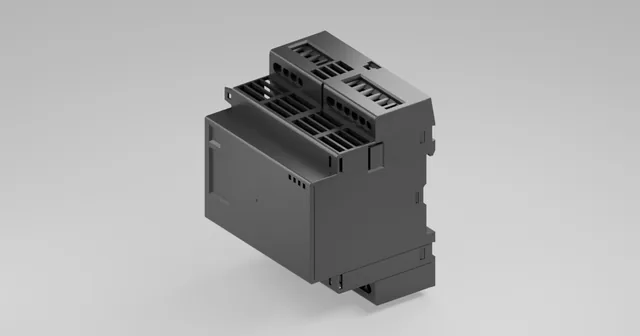
Route 2 — publish as status. SCADA stays a master reading Object 40, and a real outstation enters the path: a gateway or RTU that receives the number over its own documented upstream link, stores it in its point database, and serves that point as Group 40 static data. Such a converter host usually sits in the cabinet beside the controller, and a compact industrial mini PC is the typical computer for the job. The gateway must document both halves — the upstream input and DNP3 outstation service of Group 40 at your chosen index and variation — because they are separate functions, and repackaging a command as a status report is not something a rename achieves. Before blaming the master, confirm what the outstation actually puts on the wire: locating DNP3 outstation diagnostics in SCADAPack RemoteConnect shows where one common RTU family exposes those counters and point data.
Worked example: one setpoint through both routes #
Take an example level setpoint of 4.75 m that PI must hand to SCADA, and a receiving point documented as Object 41, 16-bit with status, at point index 12, scaled at 100 counts per meter over a working range of 0 to 600 counts (0.00 to 6.00 m).
Command route: convert to protocol units — 4.75 m × 100 counts/m = 475 counts. The converted setpoint sits inside the 0–600 count working range and under the 32,767 ceiling of a signed 16-bit field, so the variation carries it with no rounding. The PI interface sends it to index 12 under Select-Before-Operate; the outstation operates, its application raises the level demand to 4.75 m, and it copies the accepted value into its Group 40 point at the same index. SCADA's next static poll reads the status point and displays 4.75 m. Write and readback agree because two different transactions ran in order: a Group 41 command from the master, then a Group 40 report from the outstation.
Publish route: the same number, no command at all. The gateway receives the setpoint on its upstream link, stores the converted value in its point database, and serves Object 40 index 12; SCADA polls and displays the level. If the outstation serves the point but the SCADA display stalls, the fault sits on the reading side, and resolving DNP3 outstation tag refresh failures in Ignition 8.1 works through that class of fault. When a route 1 write seems to vanish instead, chase it hop by hop the way tracing an HMI command that never reaches the PLC output does: source tag, driver point, wire, receiving application.
The decision for each case #
Case A — SCADA is a DNP3 master and the polled device accepts analog commands. Use the command route: configure the PI output as an Analog Output Block write to that index and variation, choose Direct Operate for low-risk points and Select-Before-Operate where an explicit confirm belongs, and treat Object 40 purely as readback.
Case B — SCADA must keep reading Object 40 and the polled device takes no commands. Add a genuine outstation or gateway that accepts the value on a documented upstream link and publishes Group 40 at a fixed index and variation; verify both functions in that product's documentation before building the architecture around it.
Case C — PI numbers only need to be visible in SCADA, with no control action. Skip DNP3 for that transfer and use a documented application interface on at least one side — an OPC UA server or the SCADA's own driver connection — because forcing a status object into a write role buys nothing over a plain data connection.
One safety note belongs beside route 1: a working Object 41 path moves physical equipment such as a regulator setpoint or a speed command, so prove it on a point isolated from live plant first, and display the Group 40 readback as the authoritative value, never the request.
Questions asked
Can any DNP3 master write to Object 40?
No. Group 40 is the Analog Output Status object, and the outstation is the side that produces it; the request functions that change values apply to command objects such as Group 41. A device that accepts a write aimed at Group 40 is behaving outside standard DNP3, so ask its vendor for the documented object, variation and command mode before building on that behavior.
Which data formats can an Object 41 point carry?
Analog output command points support 16-bit and 32-bit integers and single- and double-precision floating point, each published with or without a status byte. The receiving outstation's manual states which variation its point accepts; match the value you send to that representation and scale instead of assuming one format end to end.
What is DNP3 Object 42 for?
Group 42 is the Analog Output Change Event. The outstation reports it when an output status point changes, so the master learns of a new value without waiting for the next static poll. Like Group 40 it travels from outstation to master, and it is never a write path.
Why does the Object 40 readback differ from the value that was sent?
The status point holds what the outstation's application accepted, after its own clamping to range, rounding to the point's resolution and any internal scaling. Depending on the device, a request outside the point's range is refused outright or applied at the nearest limit. Compare the readback against the device's documented range and scale, and alarm on a persistent difference where the application needs one.