Explainer
Why an EtherNet/IP slave terminal has no CODESYS setup pages
Short answer
A CODESYS runtime has no config pages and no driver for an EtherNet/IP slave terminal such as the EL6652-0010 behind an EK1101 coupler, so that tunnel path is unsupported however cleanly the bus enumerates. The supported route is the controller's own Ethernet port with the CODESYS EtherNet/IP adapter add-on; the EL6614 switchport idea stays unvalidated.
On this page
- Why does CODESYS have no config pages for an EtherNet/IP slave terminal?
- What does the EtherCAT scan prove when the bus looks green?
- Can I install an EDS file to add the missing terminal?
- How do I run EtherNet/IP on a CODESYS PLC instead?
- Can I tunnel EtherNet/IP through EtherCAT with an EL6614 switchport?
- What test proves the EtherNet/IP path actually works?
- Which path should you build on for a CODESYS machine?
- Questions asked
CODESYS cannot set up an EtherNet/IP slave terminal such as the Beckhoff EL6652-0010 behind an EK1101 EtherCAT coupler: the runtime ships no configuration pages and no driver for the terminal's EtherNet/IP function, so there is nothing to configure with. The bus scan will happily list the coupler and the terminal, and that green scan proves only the EtherCAT transport, never the protocol on top of it. The supported design needs no bridge terminal at all: run EtherNet/IP on the controller's own Ethernet port with the CODESYS EtherNet/IP adapter add-on, and cable the EtherNet/IP device to that port. This article explains why the pages are missing, what a description file can and cannot fix, how to verify the port-based path, and where the EL6614 switchport idea stands.
Why does CODESYS have no config pages for an EtherNet/IP slave terminal? #
Because CODESYS only configures a protocol when its device range carries a matching component for the device, and for the EL6652-0010 that component does not exist: no driver, therefore no configuration pages, therefore nowhere to enter the connection data.
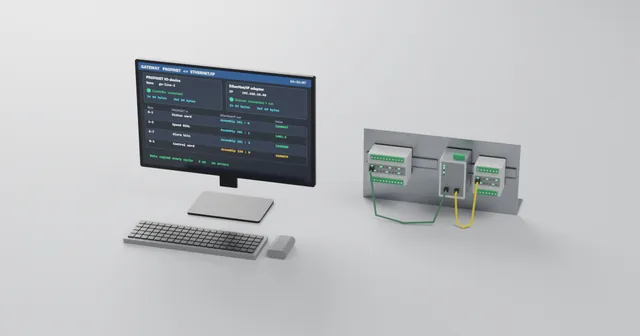
The terminal is two devices in one housing. On the EtherCAT side it behaves like any terminal: the scan finds it, the coupler gives it a slot in the process image, and its bytes land in the I/O map. On the Ethernet side it is an EtherNet/IP adapter whose CIP connections, assemblies and timing have to be set up by the protocol stack on the controller side. EtherNet/IP itself is the ODVA specification that puts CIP on standard Ethernet; it defines the roles and the connection data, but it does not make any runtime support any particular adapter device — that is what the missing component would have done. The EtherCAT master in CODESYS covers the bus side for every terminal on the wire; the protocol side needs a component written for this exact terminal, and the CODESYS device range carries none.
Treat that as a support limit, not a cabinet fault. No re-scan, terminal swap or wiring change writes a driver that was never written. If your runtime is much newer than the one this question concerns, search its device repository for the terminal by name once; with no entry, the conclusion stands. Isolated reports do describe bridge terminals coaxed into service under other runtimes after long stretches of reverse engineering, but those are hand-built, unsupported arrangements, and nothing about them transfers into a design you can document and hand to the next technician.
What does the EtherCAT scan prove when the bus looks green? #
The scan proves the EtherCAT transport and nothing more: the coupler and every terminal enumerate, each takes its slot in the process image, and none of that tells you whether CODESYS can configure the EtherNet/IP connections the terminal exists to carry.
Run the example arithmetic. Take an EK1101 coupler carrying the EL6652-0010 plus four digital I/O terminals: 1 + 1 + 4 = 6 EtherCAT devices. The scan lists all 6, the process image shows their bytes, and every device reports healthy. Now count what the EtherNet/IP function itself needs: 1 protocol component on the controller side, and the CODESYS device range supplies 0. Six healthy EtherCAT devices against 0 supported EtherNet/IP components is the arithmetic of an unsupported path — the transport is fine and the design is still dead.
A device that sits green on the bus while its protocol function stays unproven is a pattern on every fieldbus, which is why an imported EDS file does not prove EtherNet/IP cyclic I/O: the description loads, and the cyclic data still has to be demonstrated before anyone calls the device integrated.
Can I install an EDS file to add the missing terminal? #
No: a device description file only describes a device the runtime already has a protocol component for, so installing one into the CODESYS device repository buys a correct-looking entry, not the missing EtherNet/IP configuration pages.
A description file and a protocol component answer different questions. The description says what the device looks like — identity, slots, process image — and the component says how the runtime talks to it. In a supported EtherNet/IP adapter setup the documented order makes the relationship plain: install the matching device description file into the CODESYS device repository first, then configure the network on top of it. The description is a prerequisite to a component that exists, never a substitute for one that does not. With this terminal the prerequisite installs cleanly and the component it depends on is absent, so the repository ends up holding an entry with nothing behind it.
The terminal-server case shows the same failure from the other side: why an EDS file will not add EtherNet/IP to a terminal server walks through a description file that loads perfectly while the capability it appears to promise never appears on the wire.
How do I run EtherNet/IP on a CODESYS PLC instead? #
Use the controller's own Ethernet port: the CODESYS EtherNet/IP adapter add-on converts a standard Ethernet port of a CODESYS-compatible PLC into an EtherNet/IP adapter device, and the connection is configured there instead of through the terminal.
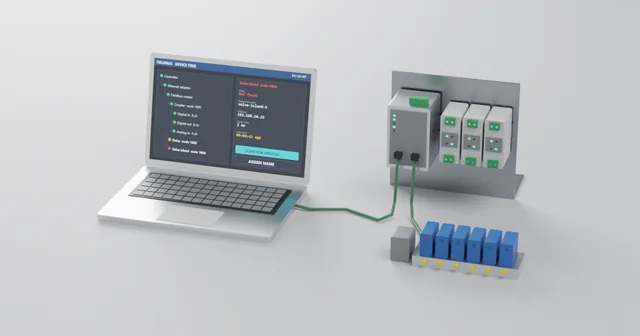
Work in the documented order. First, confirm the target runtime and version are covered by the adapter add-on and license it for that runtime like any other CODESYS add-on. Second, install the matching device description file into the CODESYS device repository, which the documented procedure requires before any EtherNet/IP configuration. Third, add the adapter node on the chosen port and the EtherNet/IP module beneath it that describes the device on the wire, then cable that device — or the upstream scanner that was going to poll the terminal — to the port. The add-on's own definition is blunt about the mechanism: standard Ethernet ports of CODESYS-compatible PLCs become EtherNet/IP adapter devices, with no bridge hardware involved.
If the design needs the PLC on the polling side instead, that is the master role, and the checks in how to select a CODESYS fieldbus master for industrial Ethernet are the list to work through before hardware is ordered around either role. The bill of materials simplifies either way: the bridge terminal leaves the design, the coupler stays only while EtherCAT I/O hangs on it, and one controller port carries the protocol.
Can I tunnel EtherNet/IP through EtherCAT with an EL6614 switchport? #
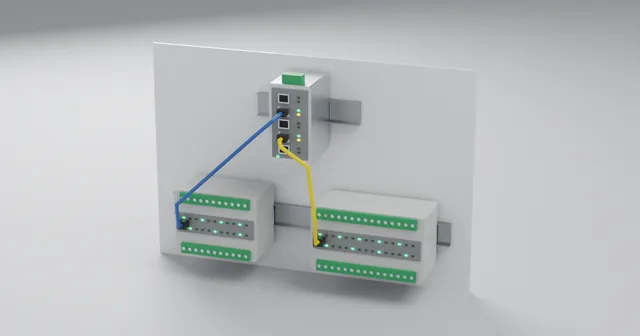
Not on any documented basis: an EL6614 switchport terminal puts Ethernet ports inside the EtherCAT bus, but CODESYS has no component that routes an EtherNet/IP adapter connection through them, so the arrangement stays an idea until someone demonstrates it.
A switch moves frames; it does not configure them. The missing piece from the first section — the protocol component that sets up connections on the controller side — is missing on this path too, and no arrangement of ports conjures it. The tunnel idea is fair to raise, and it was raised exactly that way: route the controller's EtherNet/IP traffic through an EL6614 switchport and onto the bus. Raising it is not demonstrating it. A demonstration has to show routing, configuration and cyclic data exchange end to end, on the bench, on the exact runtime version you will ship.
Until that demonstration exists, treat the arrangement as a hypothesis with three unmet checks, and keep it off a machine that has to run — production data deserves a path with support behind it.
What test proves the EtherNet/IP path actually works? #
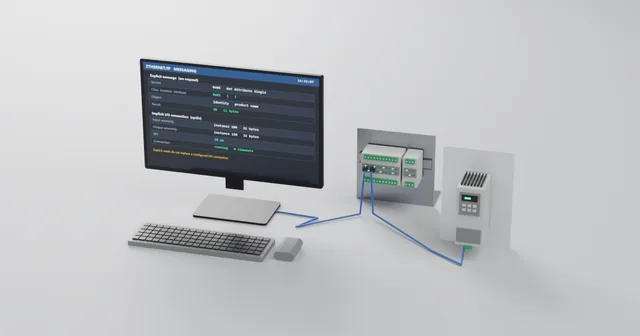
Exchange data, not descriptions: bring the adapter online, confirm the cyclic connection runs at its configured interval, and force a change in one direction to watch it arrive in the other, because a green bus or an installed file proves neither.
Work it with example numbers on the built path. Give the adapter port an address on the field subnet, for example 192.168.1.50 with a 255.255.255.0 mask, and let the upstream scanner — for example 192.168.1.10 — open the connections. Map an assembly you can verify, for example 4 bytes in and 4 bytes out.
Then run three checks. Count: the cyclic exchange must move exactly the 4 + 4 bytes you mapped, every cycle, no more and no less. Force: write a known value into a mapped PLC tag, for example 90 into the first output byte, and read it at the scanner; then force from the scanner side and read the PLC tag. Time: hold a forced value across several intervals so you watch live updates rather than a latched copy. If any of the three fails, the path is not proven, whatever the diagnostics say.
Which path should you build on for a CODESYS machine? #
Build on the controller's Ethernet port and drop the EL6652-0010 from the design: it costs one port on hardware you already have, gains a supported and configurable EtherNet/IP adapter, and avoids a tunnel that nothing in the runtime will ever let you configure.
By case. A new CODESYS machine that needs EtherNet/IP: controller port plus the adapter add-on, no bridge terminal in the design. An existing cabinet that carries the EL6652-0010 but now runs under CODESYS: leave the terminal in the rack if removing it would disturb the I/O around it, but move the protocol to the controller port — no service pack will bring the configuration pages, because the component behind them has never existed. A machine that stays on the controller family the terminal was designed for: that environment is the only place the terminal's EtherNet/IP configuration is documented.
And when the EL6614 route resurfaces, hold it to the three checks from the test section: 0 of 3 demonstrated leaves it a hypothesis, so do not order hardware against it. The number that decides this whole question is the count of configuration pages CODESYS offers for the terminal: 1 would make the tunnel path worth testing on the bench, and 0, which is what the device range holds, makes the controller port the only design.
Questions asked
Does the EL6652-0010 work if the project stays on the controller family it was built for?
That family's own engineering environment is where the terminal's EtherNet/IP function is a supported, documented device, so the limitation described here does not apply to it. What you still have to confirm is version-specific: the exact runtime build, the terminal's firmware revision and the configuration procedure in that family's documentation, because bridge-terminal support is tied to those versions, not guaranteed across them.
Could I write my own CODESYS driver for the terminal?
Only by implementing the protocol layer yourself: the connection setup, the description handling and the cyclic exchange that a supported device component normally provides, pushed through the terminal's process image. That is reverse-engineered, unsupported code with no update path behind it, so treat it as a research exercise and keep it off any machine whose EtherNet/IP data people depend on.
Do I still need the EK1101 coupler after dropping the EL6652-0010?
Yes, if EtherCAT I/O terminals still hang on the bus — the coupler drives them as before. What changes is only the EtherNet/IP side: that traffic now runs between the controller's Ethernet port and the device on its own cable, and the coupler no longer carries any of it.
What if my CODESYS controller has only one Ethernet port?
Then the port has to be shared or expanded. Check the controller documentation first, because some models provide two or more ports and some provide one. With a single port, an industrial Ethernet switch lets the engineering PC and the EtherNet/IP device share it; keep the field subnet on its own address range so the two traffic types stay separable.