Explainer
Why a TwinCAT PLC keeps running after its trial license expires
Short answer
A TwinCAT PLC already in Run mode keeps executing when its trial license expires; the expiry is enforced at the next start of the runtime. After a reboot, a power failure, a runtime restart or a software update, the runtime stays in Config mode and refuses Run mode until a new trial or a permanent license is generated, and a single expired trial option can block even a fully licensed system.

On this page
A TwinCAT PLC does not stop when its trial license runs out. A runtime that is already in Run mode keeps executing its program past the trial's expiry date, and nothing visible happens on the machine that day. The expiry is enforced at the next start of the TwinCAT runtime: after a PC reboot, a power failure, a runtime restart or a software update, the runtime comes up in Config mode and refuses Run mode until you generate a new trial or install a permanent license. An expired trial is therefore a restart-recovery problem, not a running problem, and that changes what you check before leaving a trial-licensed machine unattended.
Why the running PLC is not stopped #
A TwinCAT 3 trial license is generated in the development environment (XAE) for a validity of 7 days, and trials can be generated as often as needed. The behavior shows where the license is evaluated: a runtime that is already executing is left alone when the expiry date passes, and the license state is applied the next time the runtime starts. Two consequences follow. First, the expiry is silent on a running machine: no fault, no stop, no message from the runtime. Second, a machine that is still running proves nothing about its license; it proves only that the runtime has not restarted since the trial expired. Licensing models differ per platform, and a controller that meters usage instead of trial dates is described in how the ctrlX PLC license calculates I/O data and core use, but on a TwinCAT 3 target the trial date is the whole mechanism.
The restart is where expiry bites #
Every event that starts the TwinCAT runtime anew enforces the trial: a PC reboot, a power failure, a manual restart of the runtime, or a software update that forces one. The runtime then stays in Config mode and will not enter Run mode until a valid trial or a permanent license exists on the target.
| Event on a trial-licensed target | Runtime behavior | What you must do |
|---|---|---|
| Expiry date passes while running | Program keeps executing | Nothing yet; license it before the next restart |
| PC reboot or power failure | Comes up in Config mode | Generate a new trial or install a permanent license |
| Runtime restart | Stays in Config mode | Same recovery, then switch to Run mode |
| Software update | The update forces the enforcing restart | Read the expiry dates and renew trials before updating |
An expired trial option blocks a licensed system #
The trap that catches running equipment is often not the PLC license at all. A fully licensed base system picks up a trial of an add-on, a typical case being the OPC UA server installed to test extra functionality, and when that trial expires the next restart refuses Run mode even though the base system is licensed. The base license looks fine in every quick check, so the machine appears to have failed for some other reason. The recovery is the same as for a PLC trial, but the lesson is in the checking: read the license overview on the target line by line, options included, before any restart.
The HMI is a separate case #
Reports from trial-licensed machines place HMI problems on the expiry date itself, before any restart, while the PLC keeps running. Those reports do not identify the HMI product or the failure mode, so treat the HMI as its own mechanism rather than an exception to the runtime behavior above. If an HMI runs on a trial license, test it on a bench before the expiry day so you know what the operator will see.
Generating the next trial #
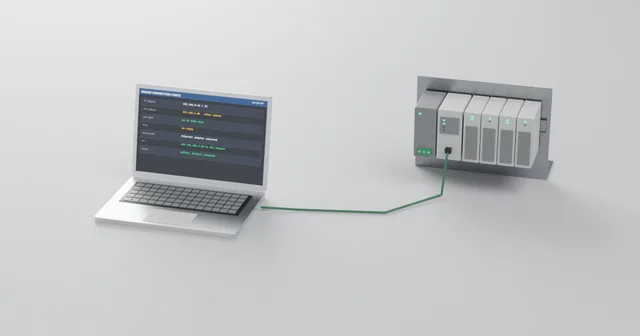
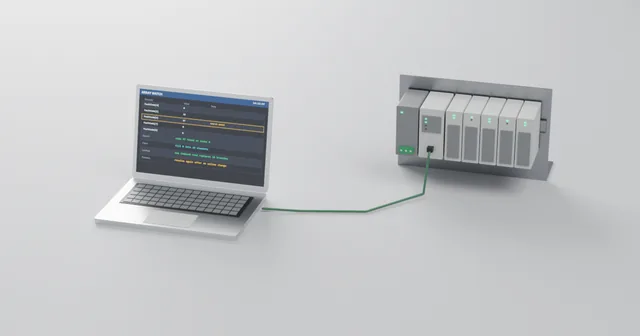
Recovery needs the engineering environment and a connection to the target:
- Set the desired target system.
- Open the license manager by double-clicking License in the System subtree of the TwinCAT project tree.
- Read the tabular overview: each function's license status is listed, and for a trial the status indicates the expiry date.
- Generate the trial licenses the target needs; renewal works even after a trial has expired.
- Restart the TwinCAT system and switch the runtime to Run mode; the application starts.
A test rig rebooted 10 days after its trial was generated #
Inputs, with where each comes from:
- Trial validity: 7 days, the documented validity of a TwinCAT 3 trial license in Beckhoff's licensing documentation.
- Time from trial generation to the reboot: 10 days, an example input for this case.
- State before the reboot: the rig ran in Run mode the whole time.
- The trigger: an overnight power failure, so nobody prepared licensing.
The rule in words: the trial is evaluated when the runtime starts. If the elapsed time since generation exceeds the trial validity, the runtime stays in Config mode; if it does not, the runtime returns to Run mode.
The arithmetic: elapsed time minus validity is 10 days - 7 days = 3 days past expiry.
The result: the runtime stays in Config mode and the rig is down. The engineer generates a new trial that morning and switches the runtime to Run mode; that fresh trial covers the rig to day 10 + 7 = day 17.
The decision: every restart after the expiry date finds the runtime in Config mode, so a rig that must reboot unattended gets its permanent license before that date. A bench rig that someone touches daily can stay on trials, with the expiry date in the license overview checked at every visit.
The decision for each case #
- A production machine that must restart after a power failure gets a permanent license before it runs unattended. On a trial it is one power dip away from staying down until someone generates a new trial at the target.
- A prototype or lab rig that someone touches daily can run on trials; budget a short recovery at every restart past the expiry date.
- A licensed base system with a trial option added for a test is runnable for exactly as long as that option's trial: license the option or plan the downtime before the next restart.
- Before any software update, read the expiry dates in the license overview first, because the update forces the restart that enforces them.
One safety note: a controller that fails to restart is an availability problem, not a safety function, so any function that must put the machine into a safe state belongs in certified safety hardware, whatever license state the PLC is in.
Questions asked
How did TwinCAT 2 treat an expired demo license?
The documented TwinCAT 2 demo used a 30-day period, and machines in the field were reported to keep executing until the next project recompile rather than the next reboot. That is why old demo installations are sometimes still found running. Do not carry that expectation to a TwinCAT 3 target, where the trial period is shorter and the block comes at every restart.
How long can the PLC keep running past the expiry date?
Indefinitely, as long as nothing restarts the runtime: prototype and R&D equipment has been reported running for weeks past expiry. What ends it is the first power failure, PC reboot, runtime restart or software update, so every day of unattended operation raises the chance the machine is found in Config mode instead of Run mode.
Can Run mode be forced with an expired trial license?
No documented way exists. The runtime stays in Config mode until a new trial is generated for the target or a permanent license is installed, and both are done from the engineering environment with the target system set. That recovery needs an engineer and a connection to the target, which is the whole argument for a permanent license on any machine that must restart unattended.
Do trial licenses exist for add-ons such as the OPC UA server?
Yes. Trials can be generated for many TwinCAT 3 functions, not only the PLC runtime, and each trial carries its own expiry date in the license overview. That is how a fully licensed machine ends up carrying a blocking trial: an option was installed for a short test and never licensed. Checking only the PLC line is what misses it.