
Troubleshooting
Why a safety PLC stops with 65D when its EtherCAT module is added
Short answer
Strip the chain to the safety controller and the EtherCAT module alone, then re-add the eight I/O modules one at a time with power off. The same 65D stop comes from four separable causes: an expansion count or bus load above the documented limit, a sagging 24 V DC rail, a stored project that does not declare the module, or a firmware mismatch. Isolate first, read the diagnostic log, then match the code to the vendor hardware guide.
On this page
- Why does a safety PLC stop only when its EtherCAT module connects?
- What does error 65D mean on this safety controller?
- How do I isolate the EtherCAT module from the rest of the chain?
- Can the expansion-module count or bus load trip the stop on its own?
- Does the 24 V DC supply sag when the EtherCAT module joins?
- Why does a stored project without the EtherCAT module stop the controller?
- Could a firmware mismatch between the controller and the EtherCAT module cause 65D?
- How do I prove the fix before the machine runs again?
- Questions asked
A safety controller that runs its expansion chain normally and stops with the code 65D the moment its EtherCAT module joins has four separable causes behind one identical symptom: the expansion-module count and bus load, a 24 V DC rail that sags under the added load, a stored project that does not declare the module, and a firmware mismatch. Isolate the chain first, read the diagnostic log, and let those two results pick the cause.
Why does a safety PLC stop only when its EtherCAT module connects? #
The EtherCAT module changes four quantities at once — expansion-module count, bus load, the current drawn from the 24 V DC rail, and the comparison the controller runs between detected hardware and the stored project — and the stop code 65D is the single symptom all four produce.
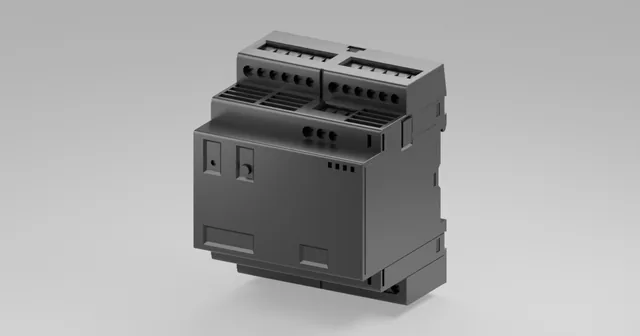
The chain in the reported fault carried nine expansion modules: the EtherCAT module XPSMCMCO0000ECG, four 8-in/4-out modules XPSMCMMX0804G and four 16-input modules XPSMCMDI1600G. Without the EtherCAT module the controller ran that chain without a problem; with it, the controller stopped. The module is therefore the trigger but not automatically the fault — its added load, its missing entry in the stored project or its firmware can each be what the controller is actually reporting.
What does error 65D mean on this safety controller? #
Treat 65D as a pointer, not a diagnosis: its definition sits in the controller's diagnostic log and its hardware guide, and the lookup is worth doing after isolation, because the displayed code alone cannot separate the four causes.
Read the log before any power cycle. The entry carries context the display code does not — module position, event type and the sequence that ended in the stop — and repeated power cycles can overwrite that sequence. The module-level entries carry real diagnostics, because fail-safe I/O modules detect their own faults and report them; how fail-safe I/O modules detect their own faults explains what those entries mean.
How do I isolate the EtherCAT module from the rest of the chain? #
Strip the chain to the controller and the EtherCAT module alone, power up, and record whether 65D returns; then re-add the I/O modules one at a time, with power off for each insertion, and note the count or the module at which the stop comes back.
The test needs no assumption about what the code means, and it splits a module-level fault from a system-level fault in one pass:
- Remove power from the controller and its 24 V DC supply, and record the physical order of every module plus which modules share the field-side supply.
- Disconnect all eight I/O modules, leave the controller and the XPSMCMCO0000ECG connected, power up, and watch for 65D.
- If the controller stops with the EtherCAT module alone, the cause sits in the stored project, the firmware pair or the unit itself; run the configuration and firmware checks below.
- If it runs, re-add the I/O modules one at a time, power off for each insertion, and note where 65D returns.
- A stop that returns at the same count on every attempt points at the bus or the power budget; a stop that follows one specific module in any position points at that module.
- Reorder modules only where the hardware guide allows free ordering, because a position-dependent stop can mean the slot is not permitted for that module. Swap in a second EtherCAT module of the same part number if one is available: a stop that follows the module identifies a defective unit.
Can the expansion-module count or bus load trip the stop on its own? #
Yes: compare the nine-module chain against the maximum expansion-module count in the hardware guide's technical data for this controller variant, because a chain over that documented maximum is unsupported and no setting, swap or firmware update makes it run.
Every module on the expansion bus draws from a budget the guide states as a count and a bus current figure. If the re-addition test brings 65D back at a fixed count, the chain has crossed that budget, and the fix is a controller variant or architecture rated for the full chain — not a retry. Read the count and the budget first; the isolation result then confirms or clears this cause in one pass.
Does the 24 V DC supply sag when the EtherCAT module joins? #
Measure it instead of estimating it: in an illustrative chain the reading at the controller's supply terminals fell from 23.8 V DC with eight modules running to 22.6 V DC once the EtherCAT module's load joined, and a full-load reading below the guide's stated minimum input is the stop.
The arithmetic: 23.8 - 22.6 = 1.2 V, and 1.2 / 24 V = 0.05, a 5% move on the nominal rail. The decision comes from the guide, not from the percentage: read the controller's minimum input voltage from its technical data table, and if the full-load reading — 22.6 V in the example — sits below that minimum, fix the supply path before touching configuration or firmware.
Where the supply output reads in band while the controller terminals read low, the loss is in the cable run, a loose terminal or an undersized conductor. Measure again at power-up and while outputs switch, because a rail that holds when the chain is idle can still dip the moment it energizes.
Why does a stored project without the EtherCAT module stop the controller? #
A safety controller compares the hardware it detects against the project stored in it, and a module that is physically present but not declared in that project is exactly the difference this comparison exists to catch.
If the project was created before the module was added, open it in the vendor's configuration software, add the EtherCAT module at its physical position, recalculate and validate the configuration, and download it. A download invalidates the previous validation of the safety function: ISO 13849-2, the validation standard for safety-related parts of control systems, requires the safety function to be shown to meet its specification after such a change, so repeat the machine's validation plan before the machine carries product again.
Could a firmware mismatch between the controller and the EtherCAT module cause 65D? #
Yes: a controller running older firmware can fail to recognize a newer revision of the EtherCAT module, and that mismatch appears as a stop at start-up rather than as degraded communication later.
Read the firmware version from the controller and from the EtherCAT module, then compare both against the compatibility table in the vendor's release notes. Check the module revisions across the chain too, since mixing modules with different firmware revisions in one chain is a known source of this class of start-up fault. Update firmware only with files from the manufacturer or its distributors, following the documented update procedure.
How do I prove the fix before the machine runs again? #
Treat the fix as confirmed only when the full chain runs clean: the controller holds run state with no new diagnostic entries, the supply rail holds its band under load, and the safety validation has been repeated after the download.
- An extended run in the run state with no new entries in the diagnostic log.
- The rail at the controller terminals inside its documented band during power-up and while outputs switch.
- EtherCAT diagnostic data reaching your master or PC — the walk-through for reaching a safety PLC over EtherCAT EoE from a Windows PC is the access path to prove it.
- Every I/O module group passing the machine's validation plan.
If a check fails, the cause it maps to — supply, project or communication — is the one to reopen. None of the four causes clears itself: the controller will stop again under the same conditions until the one the isolation test named is actually fixed.
Questions asked
Should I power-cycle the controller repeatedly to see if 65D clears?
The stop will almost always return, and every cycle risks losing the log context you need. Read and record the diagnostic entry first, then use one controlled power-down for the isolation steps. Never insert or remove a module with power applied: a hot-inserted module can fault in ways unrelated to the original problem and will send the isolation test in the wrong direction.
Does swapping in a second EtherCAT module of the same part number help?
Yes, and it is the cheapest defective-unit test in the procedure. If the 65D stop follows the module, appearing again with the second unit in the same chain and position, the first unit is defective and should be replaced. If both units stop identically, the cause sits in the module count, the supply rail, the stored project or the firmware pair, not in either module.
Can I read the chain status through another interface instead of fixing the EtherCAT module?
Only if the machine's safety design documentation allows that diagnostic path. Moving status reading to a different interface does not remove the fault the controller is reporting, and altering the safety configuration to make a fault disappear is not a repair: it removes the evidence and can leave the safety function unvalidated. Fix the declared cause, then repeat the validation plan.