Troubleshooting
Which cable and software diagnose a Modicon TSX Premium fault
Short answer
You need three things in order: the package that wrote the application (PL7, in service mode since 2018, or Unity Pro / EcoStruxure Control Expert if the CPU firmware was upgraded), the original application file or an upload from the CPU, and a path — Ethernet through the TSX ETY4103 with its address recovered from a power-up gratuitous ARP, or the CPU's RS485 TER port with the original converter cable. The XWAY drivers from the package bind either path.
On this page
- Identify the package that wrote the application
- Confirm an application file or plan an upload
- Recover the ETY4103 address from a power-up ARP capture
- Use the TER port only with the original converter cable
- Bind the path with the XWAY drivers
- Verify the link end to end
- The decision for each case
- Questions asked
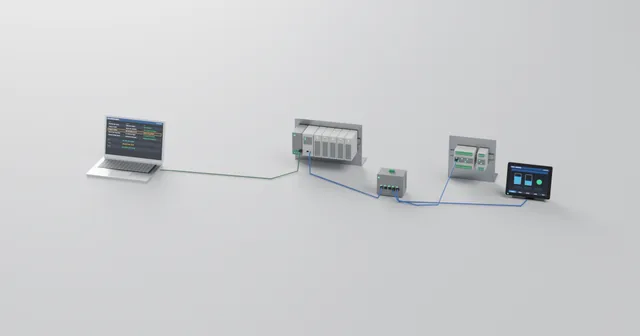
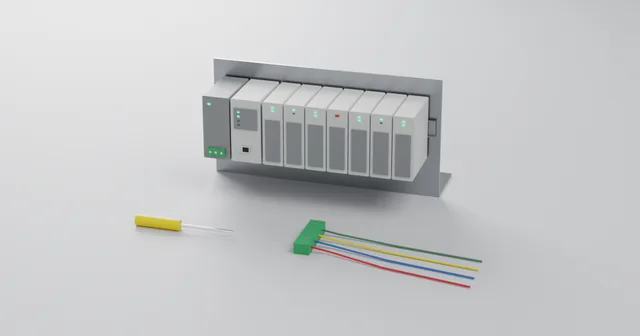
Diagnosing a TSX Premium fault from a PC takes three things in order, and the first decision is which of two paths you build: Ethernet through the TSX ETY4103 once its IP address is known, or the CPU's TER port over RS485 with the original converter cable. Next to the path you need the package that wrote the application — PL7, in service mode since 2018, or Unity Pro / EcoStruxure Control Expert if the CPU firmware was upgraded — and the original application file, or an upload from the CPU. One correction before you wire anything: the round-pin connector on the rack belongs to the CPU's TER port; the TSX PS7303A is the power supply and carries no programming port. Work through the steps in order and pass each gate before the next.
Identify the package that wrote the application #
Record the CPU part number from its label, then accept that the label cannot answer the software question. Premium CPUs are typically programmed with PL7, but a CPU that received a firmware upgrade can hold a Unity Pro / EcoStruxure Control Expert application, and a firmware upgrade leaves the part number untouched. Get the answer from the machine owner, or from the application file extension: a backup ending in one of the formats listed in Unity Pro backup file extensions STU STA XEF STM explained means the newer package wrote it.
PL7 moved to service mode in 2018 and is no longer downloadable, so a licensed copy has to come from the machine owner, the integrator, or the Schneider Electric service organization.
Gate: you know which package opens the project before you install anything.
Confirm an application file or plan an upload #
Connecting a PC shows you nothing on its own; seeing the fault in context needs the project. Ask the owner for the file before you touch the rack.
| What exists | What you can do |
|---|---|
| Original application file | Open it, go online, monitor the fault in context |
| No file, program transferred with upload information | Upload the application from the CPU once the link is up |
| No file, program transferred without upload information | Upload is not possible; obtain the original file |
Do not download any program to a faulted CPU on a running machine until the original has been backed up.
Gate: you hold either the project file or a documented decision to attempt an upload.
Recover the ETY4103 address from a power-up ARP capture #
The module's IP address is stored in the application, so the project file is the first place to look. Without the file, the TSX ETY4103 announces the address itself: it sends gratuitous ARP frames at power-up, and only at power-up. Capturing them needs permission to power-cycle the rack.
- Connect the laptop to the ETY4103 Ethernet port with a patch cable.
- Run Wireshark on that adapter with the display filter
arp. - Power-cycle the rack while the capture runs.
- Find the frames whose sender IP and target IP are identical — in a gratuitous ARP the sender and target are the same address, and that address belongs to the module.
Worked example, with example values: the capture shows sender and target 10.1.20.15. Give the laptop 10.1.20.16 with mask 255.255.255.0 and no gateway. The mask fixes the first three octets, so the network is 10.1.20.0 with hosts 10.1.20.1 to 10.1.20.254; the module at .15 and the laptop at .16 are both inside it, so ping 10.1.20.15 crosses the direct cable with no router involved. The adjacent host number is deliberate: it keeps the laptop inside the module's subnet even if the module was configured with a wider mask such as 255.255.0.0 or a /25.
Gate: the ping answers. A capture with no ARP frames means the power-up window was missed, so repeat the power cycle with the capture already running.
Use the TER port only with the original converter cable #
The TER port is RS485 — a differential standard whose line needs the right termination — while a PC serial port is single-ended RS232, so the two do not connect directly. A home-built cable from an unverified pinout is the wrong fix: get the levels or the termination wrong and you get a silent link with no error to read. Use the original cable set, which includes the RS232/RS485 converter. Those sets are discontinued, so source one from the owner, a surplus supplier, or the service organization.
| Path | Hardware | Also needs |
|---|---|---|
| Ethernet | Patch cable to the ETY4103 | The module address; XWAY drivers |
| TER port | Original RS232/RS485 converter cable | XWAY drivers; the correct COM port |
Gate: the cable's PC end appears as a COM port in Windows Device Manager, directly or through a working USB-to-RS232 adapter feeding it. If Ethernet already answers, skip this path entirely.
Bind the path with the XWAY drivers #
The XWAY drivers ship with the PL7 package and carry the CPU communication over both paths, so install the package on the engineering PC first and confirm the drivers are present before opening the project. In the package's communication setup, select the Ethernet driver pointed at the module address, or the serial driver on the converter's COM port. Test the connection from the driver tool before opening the project.
Gate: the driver test reports a reachable CPU. When it reports nothing, re-check the subnet match or the COM port number first, then the cable — and confirm the package documentation's supported Windows versions before blaming the hardware.
Verify the link end to end #
Run these checks in order and stop at the first one that fails:
- Ping the module address and get replies.
- Pass the driver test and see the CPU respond — this proves the XWAY binding, not just the network path.
- Open the original application and go online; the software must show a matching-program state with the CPU and no mismatch warning.
- With no file, attempt the upload. Success means upload information traveled with the program; failure sends you back for the original file.
- Read the CPU diagnostic data that locates the active fault and confirm it agrees with the module LEDs — the LED side of that check is what the BAT LED on a Modicon TSX Premium processor means.
The decision for each case #
- Package and file in hand, module address known: take Ethernet, bind XWAY, go online. This is the short route.
- File in hand, address unknown, rack may be power-cycled: run the ARP capture first, then take Ethernet.
- Rack cannot be stopped and the address is unknown: get the address from the application file or the owner's network documentation, or fall back to the TER port with the original converter cable.
- No file, program transferred with upload information: connect, upload, and save the upload as the new reference copy.
- No file, program transferred without upload information: logic monitoring is off the table; the decision is to obtain the original file before diagnosing.
- No converter cable and no usable Ethernet: source the original cable set; do not build one from a pinout.
Questions asked
Can the fault be found from the rack LEDs without a PC?
Partly. The CPU and module LEDs localize a fault to a module, which tells you whether the processor, a power supply or an I/O module holds it, but they cannot show which rung or data word caused it. Until the link exists, write down which LEDs are lit and in which state; the CPU diagnostic data you read later must agree with them.
Which Windows version should the engineering PC run for PL7?
The version the PL7 documentation lists for that release. PL7 is a legacy package, so on a current PC run it inside a virtual machine with a supported guest Windows version, install the XWAY drivers there, and pass the driver test in the virtual machine before you blame the cable or the module.
What does a mismatch warning mean when the project goes online?
It means the file on the PC differs from the program in the CPU. Do not download over the CPU's copy on a running machine: upload first when upload information exists, save that upload, and only then decide which version to keep. The machine keeps running the CPU's copy, not the one on your laptop.
Where else does the TSX ETY4103 address appear if the rack cannot be power-cycled?
In two other places. The address is stored in the application, so the project file and the owner's network documentation come before any capture. On a machine that cannot be stopped, those are the only routes to the address, and if neither exists, the TER port is the path that needs no IP address at all.