How-to
Prevent an unexpected PLC restart after power-up
Short answer
An unexpected restart comes from a held or jammed start input, a Set/Reset block with set priority, or state saved through a power failure. Prevent it with a rising-edge pulse on the start input, reset priority on the Set/Reset block, and a first-scan reset that clears saved state before outputs are written.
On this page
An unexpected PLC restart after power-up has three causes, and each has one fix: a held or jammed start input is treated as a valid start because the logic is level-sensitive, a Set/Reset block with set priority lets a simultaneous start and stop energize the output for one scan, and state saved through a power failure returns already set with no operator action. To prevent all three, use a rising-edge pulse block on the start input, reset priority on the Set/Reset block, and a first-scan pulse that clears saved state before the outputs are written. In Crouzet-Soft on a Millenium Slim those are a type BW pulse-on-rising-edge block on the start line, reset priority on the Set/Reset block, and the Status function under the PROG tab feeding the reset path. In any other IEC environment the same three measures apply with that platform's edge detector and first-scan bit.
The worked example #
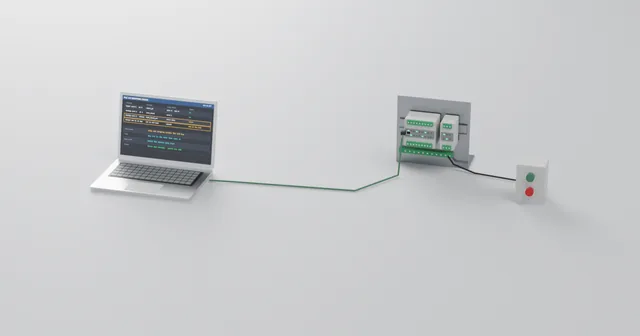
The example uses three controls: a selector switch on input I1 as the master on/off, a momentary normally closed red pushbutton on I2 for stop/reset, and a momentary normally open green pushbutton on I3 for cycle start. The Set/Reset block is set by I1 and I3, and reset by I2 or by I1 turning off. Stop functions use normally closed contacts and start functions normally open contacts, so a broken stop wire reads as a stop request.
Read the symptom to find the cause #
A PLC scan copies physical inputs to memory, runs the program on those memory values, and writes the results to the physical outputs. The logic sees levels and saved states, not operator intent, so three abnormal conditions each leave a signature:
| Observed condition | Likely logic path | What to change |
|---|---|---|
| Output active as soon as power returns with I1 on | Run state saved through the power failure | Save-on-power-failure setting and a first-scan reset |
| Cycle starts when I1 turns on while I3 is held | The level on I3 is treated as a valid start | Rising-edge pulse on the I3 path |
| One-scan output glitch when I2 and I3 are pressed together | Set has priority over reset | Reset priority on the Set/Reset block |
Measure or monitor the output state itself. A glitch of a single scan energizes the output long enough to jog a motor even when the cycle does not run, so "the machine did not cycle" is not evidence the start path is clean.
Put a rising-edge pulse on the start input #
A momentary pushbutton only produces a momentary logic event if the program makes one. An operator who holds or jams I3 gives the PLC a sustained on-level, and with level-sensitive start logic that is a valid start command whenever the other conditions line up.
- Insert a type BW pulse-on-rising-edge function block in the I3 line before it reaches the Set/Reset block.
- Confirm in the block's help that the output pulses on the off-to-on transition of its input and stays off while the input is held.
- Force I3 on continuously in simulation, switch I1 on, and confirm no set request appears.
- Release I3, press it again, and confirm exactly one pulse occurs.
With that block in place, I3 must return to its relaxed off state before another cycle can be requested. The edge pulse fixes the held-button case only; it does nothing for a simultaneous start and stop, and nothing for saved state at power-up.
Make reset dominant on the Set/Reset block #
With both I2 and I3 active, a Set/Reset block with set priority stays set for that scan: the edge pulse sets the block, the output image turns on, the physical output is written, and only on a later scan does the reset win. One scan of an energized output is enough to jog associated motors.
Open the Set/Reset block's configuration and set reset priority, so that any active reset input clears the state regardless of the set input. Keep the reset path explicit: I2, I1 off, and (in the next step) the first-scan pulse all feed it through an OR gate. If you disable the start path with an AND gate while the machine is active, derive that active-state signal from the actual machine-active logic, not from the button state.
Clear saved state on the first scan #
A Set/Reset block configured to save on power failure returns from an interruption with its state intact. If I1 was left on, the machine restarts the moment power returns, with no operator action at all. The fix is a pulse that is true for the first program scan only, ORed into the reset path, so the run state is cleared before the first output write.
In Crouzet-Soft, use the built-in block: the Status function under the PROG tab provides the first-scan pulse, with Cold init and Warm init outputs. Read the two init outputs in the software's help and wire the one that matches the restart behavior you require into the reset OR gate.
If you prefer to build the pulse yourself, the FSCAN macro does it with a TON timer and an XOR gate:
- Scan 1: the TON output is low, the XOR's other input is a fixed logic 1, so XOR(1, 0) = 1 and the pulse is high.
- Scan 2 onward: the TON output is high, so XOR(1, 1) = 0 and the pulse stays low.
Wire that pulse into the same reset OR gate as I2 and I1-off. The result: after any power restoration the Set/Reset block is reset on scan 1, and a new off-to-on transition of I3 is required to start.
Test the corner cases before returning the machine #
Run these with hazardous motion prevented by the machine's established safe methods, watching the Set/Reset state and the physical output rather than the cycle result. This logic hardens the standard control program; personnel protection stays with the machine's safety functions, which are designed separately.
- Hold I3, switch I1 on: no pulse, no output.
- Jam I3 mechanically, cycle power with I1 on: the first-scan reset clears the state and the edge block sees no transition, so nothing starts.
- Press I2 and I3 together: reset priority holds the output off for every scan of the overlap.
- Interrupt and restore power with I1 on and no buttons pressed: no output until a fresh I3 press.
- Release and re-press I3 after each case above: exactly one start pulse per press.
The decision for each case #
| Case | Decision |
|---|---|
| Held or jammed start button | Type BW rising-edge pulse on the start input |
| Start and stop pressed together | Reset priority on the Set/Reset block |
| Power restored with the selector on | First-scan pulse from the Status function (or the TON/XOR macro) ORed into reset |
| All three on one machine | Apply all three measures; none covers another's case |
Encapsulate the fix in a macro if you reuse it, but keep the top-level code readable: undocumented macros are where this class of fault hides. For related timer behavior at power-up, read why a CODESYS TON output stays on after its rung goes false: article:why-a-codesys-ton-output-stays-on-after-its-rung-goes-false explains the retained timer state behind that symptom.
Questions asked
Does a rising-edge start block also prevent a restart when power returns?
No. A rising-edge block only converts the start input's off-to-on transition into a pulse. If the run state was saved through the power failure, it comes back already set, with no start transition involved. Only the first-scan reset, ORed into the reset path, clears that state before the outputs update.
Why does set priority cause a jog when both buttons are pressed?
In one scan the set input and the reset input are both active. With set priority the block stays set for that scan, the output image turns on, and the physical outputs are written at the end of the scan. The reset wins a scan later, but one scan of an energized output is enough to jog a motor. Reset priority keeps the output off through the whole overlap.
Is a normally closed stop button enough protection on its own?
No. The normally closed contact means a broken wire or lost power reads as a stop request, which is the right failure direction, but it does nothing about a held start input or restored run state. Keep the normally closed stop wiring and add the edge detection, reset priority and first-scan reset as separate measures.
Should I build a TON-plus-XOR first-scan macro or use the built-in block?
Use the built-in Status function first: it provides the first-scan pulse with Cold init and Warm init outputs, so the macro is redundant in most programs. Build the TON-and-XOR version only when you need the pulse inside your own reusable macro or when the block's two init outputs do not match the behavior you want.
Does defensive start logic replace a safety relay or light curtain?
No. This logic addresses unexpected starts from input combinations and power restoration in the standard control program. Personnel protection still comes from the machine's safety functions, which is a separate design with its own requirements; consider a start method located so it cannot be operated from inside the hazard area.